開発環境、利用ツールの現状確認 2026
はじめに
2025 年から 2026 年にかけて手元の開発環境を整理したので、備忘も兼ねて環境についてまとめてみます。
OS
現状は macOS のみ。私用も業務用もどちらも macOS で統一されてるのでその点良いです。 個人的には久しぶりに Windows, Linux もまた触ってみたいので私用端末については今後どこかで検討するかもしれません。
Editor

Neovim
Hyperextensible Vim-based text editor
Neovim
- これまで: 基本 VSCode。業務では Cursor がメイン
- 現状: Neovim がメイン
2025 年末 2026 年始にかけて一念発起して以前から試して見たかった Neovim を導入。1ヶ月弱利用して Keymap 含め割と慣れてきたのでこのまま Neovim をメインエディタにできそうな感覚です。業務上 Cursor は利用を続けますが、VSCode からは脱却できそう。メモリ消費量を削減したかったのもあって Neovim の利用に切り替えてよかったです。こちらは設定沼にハマっているので別記事でまた導入録をまとめてみたいと思います。sidekick.nvim, LazyGit, oil.nvim, toggleterm.nvim あたりのプラグインがお気に入りです。
GitHub - folke/sidekick.nvim: Your Neovim AI sidekick
Your Neovim AI sidekick. Contribute to folke/sidekick.nvim development by creating an account on GitHub.
GitHub
GitHub - kdheepak/lazygit.nvim: Plugin for calling lazygit from within neovim.
Plugin for calling lazygit from within neovim. Contribute to kdheepak/lazygit.nvim development by creating an account on GitHub.
GitHub
GitHub - stevearc/oil.nvim: Neovim file explorer: edit your filesystem like a buffer
Neovim file explorer: edit your filesystem like a buffer - stevearc/oil.nvim
GitHub
GitHub - akinsho/toggleterm.nvim: A neovim lua plugin to help easily manage multiple terminal windows
A neovim lua plugin to help easily manage multiple terminal windows - akinsho/toggleterm.nvim
GitHub
Coding Agent
Claude Code - AI coding agent for terminal & IDE | Claude
Claude Code is an agentic AI coding tool that understands your entire codebase. Edit files, run commands, debug issues, and ship faster—directly from your terminal, IDE, Slack or on the web.
claude.com

Cursor CLI
ターミナルから直接デプロイできるように設計されています。同じコマンドで、あらゆる環境に対応。
Cursor

Build, debug & deploy with AI
Gemini CLI
私用では主に Claude Code を利用しています。2025 年末頃から業務で Cursor CLI をメインで使うようになりました。
Neovim のパートでも記載しましたが、 sidekick.nvim というプラグインがあり、メインエディタを Neovim に移したこともあって年末頃から利用し始めています。
コーディングエージェントは主にこのプラグイン経由で利用しています。Neovim エディタの右横などにチャットのような形でエージェント起動済みのターミナルを開いておき、Cursor ライクな形で利用できるものです。Neovim から使える体験が素晴らしく、これもあって Neovim への移行が固まりました。
例えば
<learder>aaでエージェントを起動<learder>atで選択行をエージェントのペインに連携する
といったようなことが可能になります。以下のような動作イメージです。
エージェントの起動。

選択行をエージェントのペインに渡す。

非常に便利なプラグインで気に入って常用しています。カスタマイズ性も高く、例えばデフォルトでは組み込まれていないエージェントもプラグイン設定に書くだけで簡単に利用可能になります。
また、コーディングエージェントとしてではないですが gemini-cli も利用しており、日々の細々とした作業のサポートツールとして利用しています。
Terminal emulator
Ghostty
Ghostty is a fast, feature-rich, and cross-platform terminal emulator that uses platform-native UI and GPU acceleration.
Ghostty
Ghostty を利用しています。設定なしでも十分に利用できるアプリですが、多少カスタマイズを入れています。カラースキームや、透過設定などです。
また、Quick Terminal が超便利で、Cmd + Shift +tとすることで、右側からニュっとターミナルが生えてくるように設定しています。
ちょっとしたターミナル作業をメインとは別にやりたい場合に非常に便利な機能です。例えば以下のようなイメージ。

カラースキームは、kanagawa を利用しています。
GitHub - rebelot/kanagawa.nvim: NeoVim dark colorscheme inspired by the colors of the famous painting by Katsushika Hokusai.
NeoVim dark colorscheme inspired by the colors of the famous painting by Katsushika Hokusai. - rebelot/kanagawa.nvim
GitHub
こちらのカラースキームは、Neovim, Ghostty の双方で利用しています。渋くて見やすいので良いです。 なお以下の動画を見ている際に、このカラースキームの存在を知って導入しました。
Terminal multiplexer
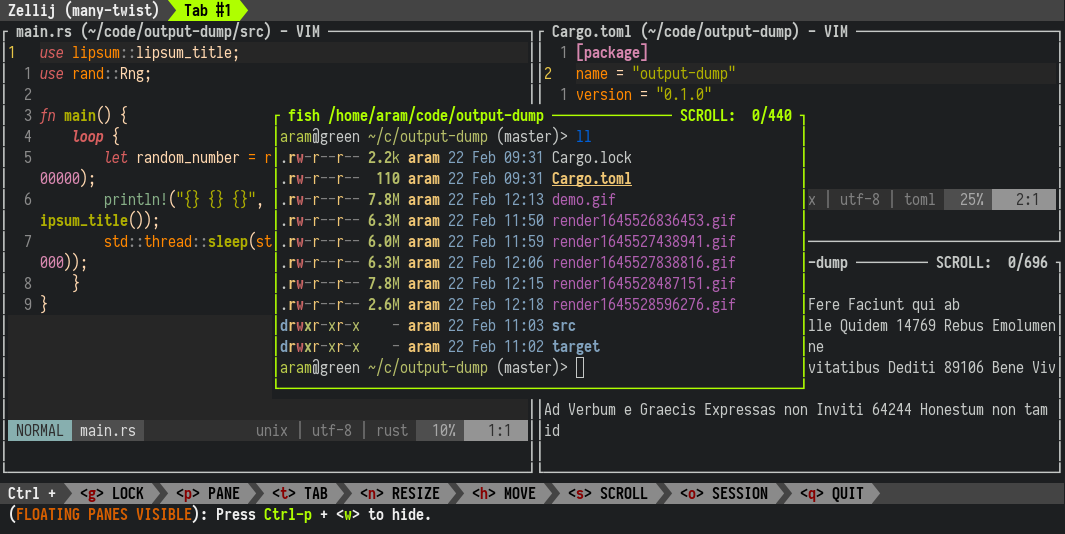
Zellij
A terminal workspace with batteries included
zellij.dev
tmux をこれまでメインで使っていましたが、Zellij を試し中です。 ただ改めて整理した際に、画面分割と tmux-poweeline の機能しか利用していなかったこともありそれほどこだわりがなくなりました。 現状、徐々に基本利用しないスタイルになってきており、エージェントによる開発をしているセッションを維持したい時などに Zellij 利用する、という形に落ち着きつつあります。
Shell
fish shell
A smart and user-friendly command line shell
fishshell.com
元々は長年 zsh を利用していたのですが、2025 年初に zsh から fish に移行しそのまま利用しています。
bd, balias などのプラグインが便利で良いです。
CLI tools
GitHub - x-motemen/ghq: Remote repository management made easy
Remote repository management made easy. Contribute to x-motemen/ghq development by creating an account on GitHub.
GitHub
GitHub - junegunn/fzf: :cherry_blossom: A command-line fuzzy finder
:cherry_blossom: A command-line fuzzy finder. Contribute to junegunn/fzf development by creating an account on GitHub.
GitHub
GitHub - ajeetdsouza/zoxide: A smarter cd command. Supports all major shells.
A smarter cd command. Supports all major shells. Contribute to ajeetdsouza/zoxide development by creating an account on GitHub.
GitHub
ghq, fzf, zoxide と言った CLI tool を利用しています。
ghq は git リポジトリの管理ツールとして使っています。所定のディレクトリ配下以下に clone した git リポジトリを集約することができます。
例えば私は、以下のようなコマンドを打つと、~/.share/src/github.com/x-motemen/ghq に clone されるというように設定しています。
ghq get https://github.com/x-motemen/ghqfzf は fuzzy finder tool です。
例えば、fish の config ファイルに以下のように書いておくと、gcd とコマンドを打つことで、git リポジトリの一覧からインクリメンタルサーチをして目的のディレクトリに移動する、ということができます。
(なお、下記は fish の balias というプラグインを使っている前提での記述なのでご注意ください。)
balias gcd 'cd $(ghq list -p | fzf)'zoxide は ディレクトリを移動する際にそれまでの履歴情報をもとに、フルパスでなく短いキーワードで移動できるようになる、というコマンドです。
例えば以下のコマンドを打つと、私の場合は ~/work/gemini-work という、gemini-cli 用のワーキングディレクトリとしてよく利用しているディレクトリに移動するという挙動をします。
z gemini私は標準の cd コマンドをこのツールに置き換えて利用しています。
Launcher
以前は Alfred、最近は Raycast を利用していたのですが、あまり機能を使っていなかったこともあって、macOS 標準の Spotlight に落ち着きました。特段現状不便はないです。
ウィンドウマネージャー
GitHub - nikitabobko/AeroSpace: AeroSpace is an i3-like tiling window manager for macOS
AeroSpace is an i3-like tiling window manager for macOS - nikitabobko/AeroSpace
GitHub
こちらは macOS 標準でこれまでやってきたのですが、Aerospace を導入してみました。 若干学習コストはありますが、慣れると便利です。以下の記事を参考に導入してみました。
デスクトップは「清く・正しく・美しく」AeroSpace, JankyBorders, SketchyBar, alt-tab
Zenn
記事中に記載のある、JankyBorders は合わせて導入しました。 SketchyBar の導入も検討しましたが、個人的には mac のメニューバーでよかったので見送っています。
Font
GitHub - subframe7536/maple-font: Maple Mono: Open source monospace font with round corner, ligatures and Nerd-Font icons for IDE and terminal, fine-grained customization options. 带连字和控制台图标的圆角等宽字体,中英文宽度完美2:1,细粒度的自定义选项
Maple Mono: Open source monospace font with round corner, ligatures and Nerd-Font icons for IDE and terminal, fine-grained customization options. 带连字和控制台图标的圆角等宽字体,中英文宽度完美2:1,细粒度的自定义选项 - subframe753...
GitHub
フォントは、Maple Mono NF を利用しています。日本語も綺麗で良いです。
開発環境セットアップ
Nix & NixOS | Declarative builds and deployments
Nix is a tool that takes a unique approach to package management and system configuration. Learn how to make reproducible, declarative and reliable systems.
nixos.org
GitHub - nix-community/home-manager: Manage a user environment using Nix [maintainer=@khaneliman, @rycee]
Manage a user environment using Nix [maintainer=@khaneliman, @rycee] - GitHub - nix-community/home-manager: Manage a user environment using Nix [maintainer=@khaneliman, @rycee]
GitHub
これまではシェルスクリプト、Homebrew、chezmoi、を組み合わせて利用していましたが、Nix の home-manager に移行しました。すべてが一元管理できてとても良いです。一見学習コストは高く感じますが、今であれば AI エージェントと一緒に設定を作り込めばかなり楽に移行できると思います。
ディレクトリ毎の開発環境管理についてはこれまでは mise を利用していましたが、こちらも Nix の devshell に切り替えました。
必要な要素を flake.nix に書けば良いのでこれも便利に使い始めています。
Task management

Task Management Software Built For Pros - OmniFocus - The Omni Group
Task management software for busy professionals that helps them accomplish more every day.
The Omni Group
Omnifocus を利用しています。現状タスク管理は完全にこれに依存しており、これがないとかなり困ります。非常に柔軟にタスクの登録・管理が行えるので重宝しております。
Note taking
Obsidian - Sharpen your thinking
The free and flexible app for your private thoughts.
Obsidian
Obsidian を利用しています。Obsidian Sync に課金し、mac と iPhone 間で同期して利用できるようにしています。 主には PKM として運用しており、Daily、Weekly での振り返り、Kindle Highlight の同期、Readwise のハイライト同期などに利用しています。
Keyboard

NuPhy Air75 V3
1.The Air75 V3 is available in three layout versions: ANSI, JlS and ISO ANSI - US EnglishShipping NowJlS and ISO (German,French,British)[Only available in Nova White]Shipping Now 2.The default configuration features one key, a high-profile knob, and a low-profile knob, enabling the low-profile knob to be compatible w
NuPhy
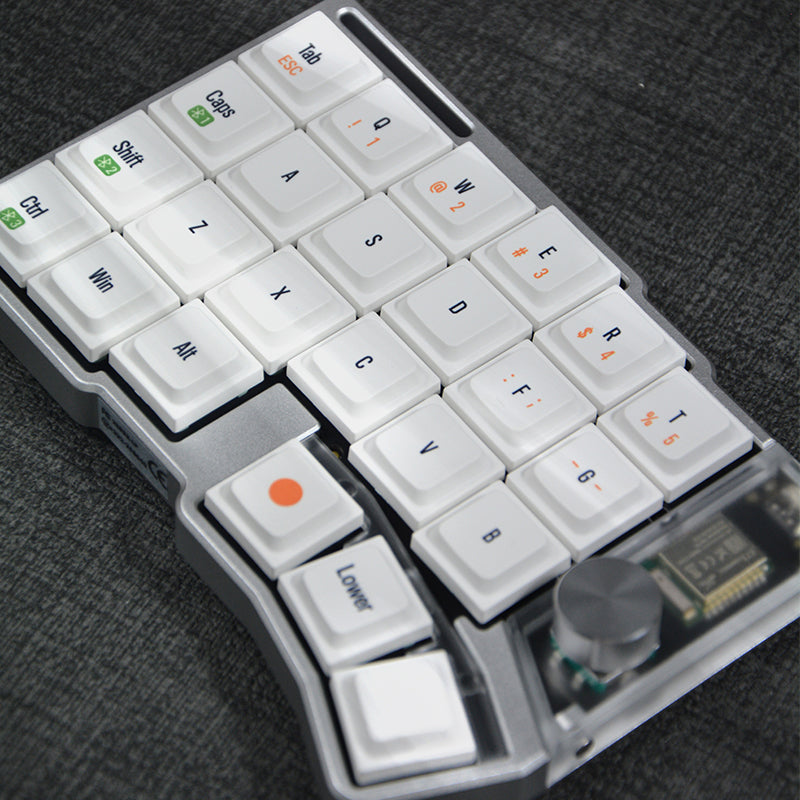
Cornix LP 無線分割キーボード
第2弾進捗更新:6割東京の倉庫に入庫済み(1月まで全員分入庫見込みです)、毎週金曜日まとめて出荷する運用になってます、2月下旬まで第二弾を全部発送完了見込みです 長らくお待たせしてしまい、誠に申し訳ございません。引き続きできる限り早くお届けできるよう努めてまいります 【予約スケジュール】 🕐 第3弾:通常予約販売(数量上限なし) 部材準備数の上限に近づいているため、3月納品を確実にする目的で 12月29日 18:00をもって第三弾の予約受付を前倒しで終了いたします。 ・期間:12月20日~12月29日(18:00終了)・カラー:シルバー・ブラック・オレンジ・数量:上限なし(注文数に応じて順次生産)→ 注文量をもとに生産して、202
JezailFunder Japan
NuPhy Air 75 v3 をメインにしています。Cornix がもうすぐ届く予定なので、自宅のキーボードは Cornix に変えてみようかなと考え中。
Keyremap

Karabiner-Elements
Karabiner-Elements A powerful and stable keyboard customizer for macOS. Download v15.9.0 Toggle Dropdown Download v15.9.0 For macOS 26 Tahoe For macOS 15 Sequoia For macOS 14 Sonoma For macOS 13 Ventura Download v14.13.0 For macOS 12 Monterey For macOS 11 Big Sur Download v13.7.0 For macOS 10.15 Catalina (10.15.6 or later) Download v12.10.0 For macOS 10.15 Catalina For macOS 10.14 Mojave For macOS 10.13 High Sierra For macOS 10.12 Sierra Download v11.6.0 For macOS 10.11 El Capitan Download v10.22.0 For macOS 10.11 El Capitan For macOS 10.10 Yosemite For macOS 10.9 Mavericks Learn more Privacy Supported systems macOS 26 Tahoe macOS 15 Sequoia macOS 14 Sonoma macOS 13 Ventura Both Intel-based Macs and Apple Silicon Macs are supported. Predefined rules by community Release notes GitHub Sponsor Easy to use You can configure simple key mappings from GUI.
Karabiner-Elements
Karabiner-Elements を使っています。こちらは長年使っており、特段困ってもいないためこのまま利用を続けると思います。
IME
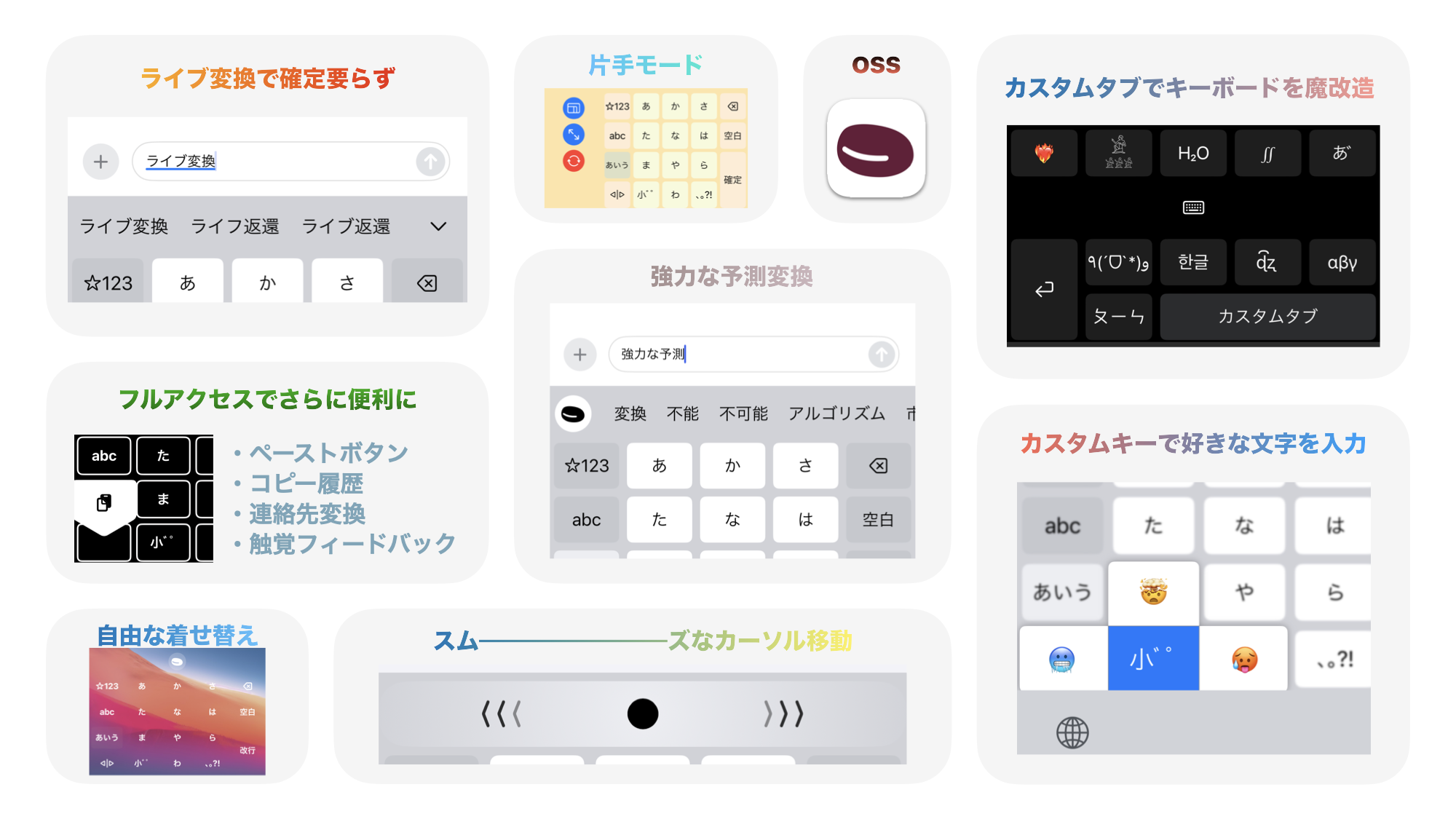
azooKey - 自由自在なキーボードアプリ
azooKey - 自由自在なキーボードアプリ
mac の標準、Google 日本語入力、ATOK、など渡り歩いていましたが、現状 azookey に落ち着きました。ライブ変換がなかなか便利です。暫くはこれで続けてみようと思います。
Other tools
Screenshot

CleanShot X for Mac
Capture your Mac’s screen like a pro.
cleanshot.com
スクリーンショットを撮るツールとしては、CleanShot X for Mac を利用しています。 デスクトップの録画を GIF で撮れたりと便利機能がいろいろあります。本記事の GIF もこのツールで撮りました。
Read at later & Highlight management

Readwise
Grow wiser and retain books better: Readwise sends you a daily email resurfacing your best highlights from Kindle, Instapaper, iBooks, and more.
readwise.io
Readwise というサービスを利用しています。 Reader というツールがあって、そちらに気になった記事を放り込んでおき、あとで読みながらハイライトをつけてアーカイブする、という運用です。ハイライトデータは、Obsidian のプラグインを利用して、Obsidian に同期しています。
Habit management
Habitify - Build & Track Better Habits | #1 Habit Tracking App
Join 3M+ people using Habitify to build lasting habits. Beautiful analytics, custom reminders & cross-platform sync. Start your journey today.
habitify.me
これまでは Omnifocus で習慣管理もしていたのですが、 Habitify に切り出しました。このあたりは好みが分かれるところかなと思うのですが、私はこういうサービスで記録を残していくのが割と好きなので続けることが出来そうです。
まとめ
2025 年末から 2026 年末に環境の大移行や新ツールの導入を行ったことで快適な環境になりました。 しばらくこの環境で続けてみて Nix や Neovim の環境を育てつつ日々を過ごしていきたいと思います。